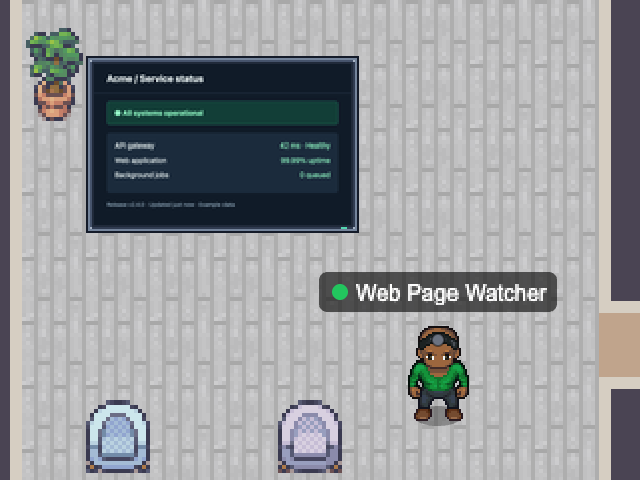
Loads a page on a schedule and renders it as a little pixel-art TV in the office — a status page, a dashboard, your homepage. It turns red if the page stops loading.
The TV needs Chrome and the puppeteer-core package; without them it shows a simple status ticker instead.
- Beside it
- A pixel-art TV showing the page.
- In the office
- Stressed while the page is failing.
webdashboardTV
Add with the desktop app
Choose a map and configure this NPC. Runs while Nocville is open on your computer.
Open in NocvilleApp didn’t open? Download or update Nocville, then return here and try again.
Options
- --url=<url>
- Page to watch (required, http or https).
- --interval=<ms>
- How often to reload (default 60000, minimum 15000).
- --screen=<WxH>
- TV resolution (default 160x120).
- --mode=<auto|screenshot|basic>
- Force the TV or the simple ticker.
- --chrome-path=<path>
- Chrome location, or set CHROME_PATH.
- --no-chrome-sandbox
- Only for trusted pages in containers where the Chrome sandbox cannot start.
- --name=<banner name>
- Name shown above the NPC.
- --service-id=<id>
- Run several of the same NPC with distinct ids.
- --map=<map name or id>
- Which office map to appear on (default: the team's first).
Click its NPC in the office to choose which room it works in.