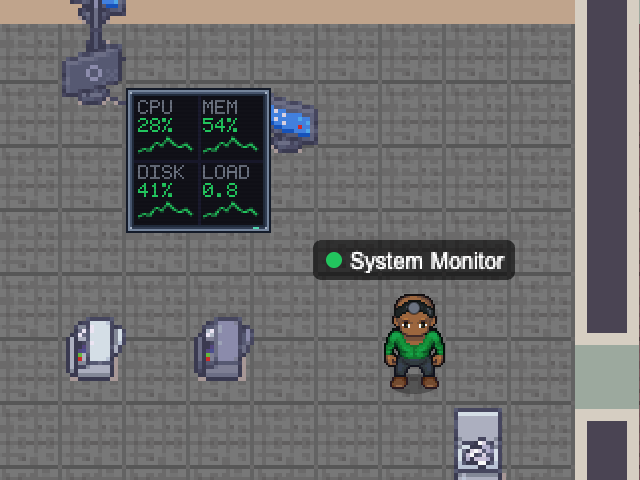
Samples the machine every 15 seconds and turns amber or red when CPU, memory or disk cross your thresholds — handy for a build box, a home server or the laptop running your agents.
Its wall screen shows live bars with one-minute sparklines.
- Beside it
- A dashboard wall with CPU, memory, disk and load bars plus sparklines.
- In the office
- Works at a desk; stressed and red when a threshold is critical.
CPUmemorydiskhost
Add with the desktop app
Choose a map and configure this NPC. Runs while Nocville is open on your computer.
Open in NocvilleApp didn’t open? Download or update Nocville, then return here and try again.
Options
- --disk-path=<path>
- Disk to measure (default /).
- --cpu-warn / --cpu-crit=<%>
- CPU thresholds (default 75 / 90).
- --mem-warn / --mem-crit=<%>
- Memory thresholds (default 75 / 90).
- --disk-warn / --disk-crit=<%>
- Disk thresholds (default 75 / 90).
- --poll-interval=<ms>
- How often to sample (default 15000).
- --name=<banner name>
- Name shown above the NPC.
- --service-id=<id>
- Run several of the same NPC with distinct ids.
- --map=<map name or id>
- Which office map to appear on (default: the team's first).
Click its NPC in the office to choose which room it works in.