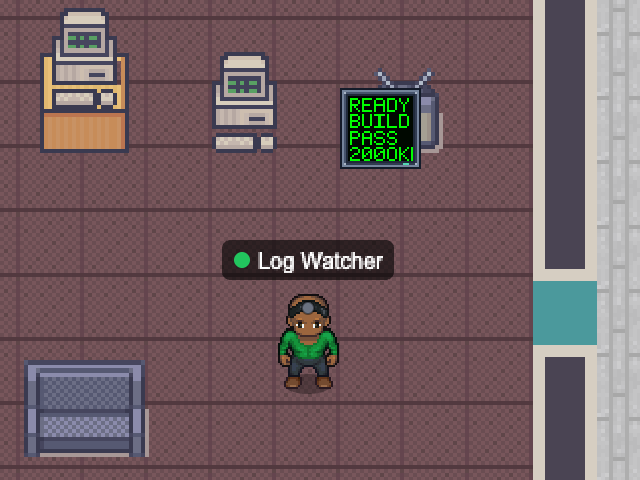
Follows one or more log files and counts lines matching your error and warning patterns over a sliding window. A few errors make it concerned; a flood turns it red. It keeps up with log rotation.
The last lines appear on a little terminal beside it, with passwords, tokens and other secrets redacted first.
- Beside it
- A log terminal with the latest lines.
- In the office
- Concerned on a few errors, stressed on an error burst.
logserrors
Add with the desktop app
Choose a map and configure this NPC. Runs while Nocville is open on your computer.
Open in NocvilleApp didn’t open? Download or update Nocville, then return here and try again.
Options
- --files=<list>
- Log files to follow (required).
- --error-pattern=<regex>
- What counts as an error (default ERROR|FATAL).
- --warning-pattern=<regex>
- What counts as a warning (default WARN).
- --window=<seconds>
- Sliding window (default 300).
- --error-warn / --error-crit=<n>
- Error counts for amber / red (default 5 / 20).
- --name=<banner name>
- Name shown above the NPC.
- --service-id=<id>
- Run several of the same NPC with distinct ids.
- --map=<map name or id>
- Which office map to appear on (default: the team's first).
Click its NPC in the office to choose which room it works in.